




How to Deposit

Simple and quick guide to fund your Bwinners account

2 PAYMENT METHODS AVAILABLE

Mpesa Deposit Steps

👈 Swipe to navigate 👉
Step 1 of 5
1

Login

Step 1

Login to your Bwinners.ls account
Head to the deposit section

2

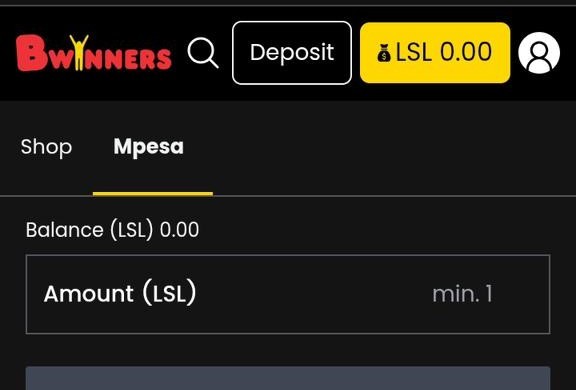
Enter Amount

Step 2

Insert deposit amount & click "Top up now"

3

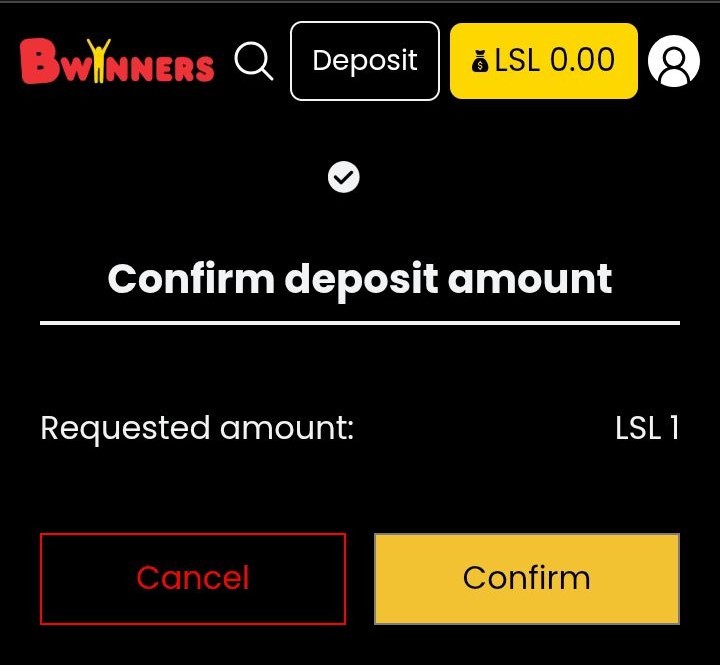
Confirm

Step 3

Click "Confirm" to proceed

4

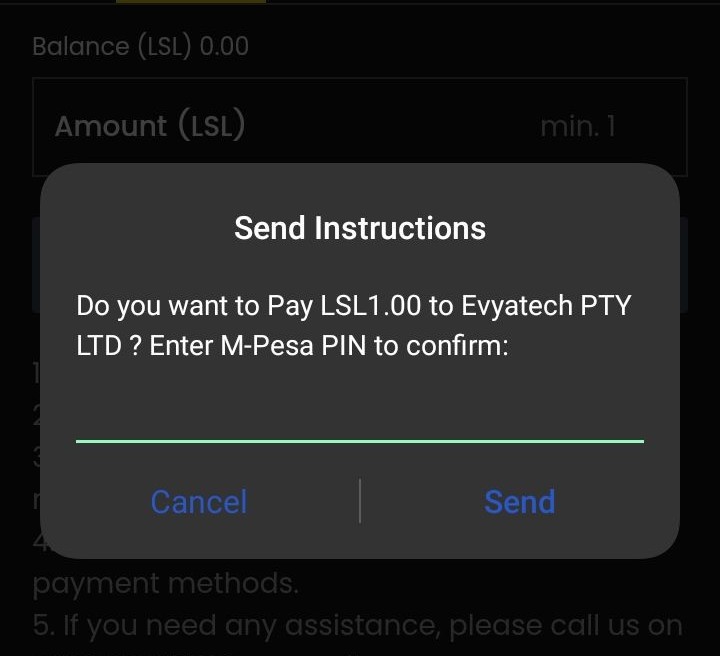
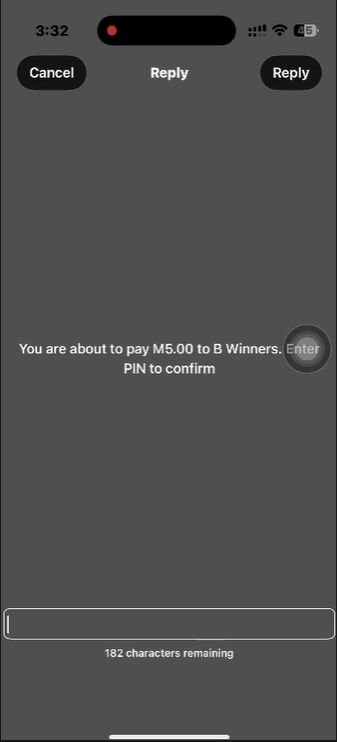
Enter PIN

Step 4

Enter Mpesa PIN on the pop-up screen to confirm payment

5

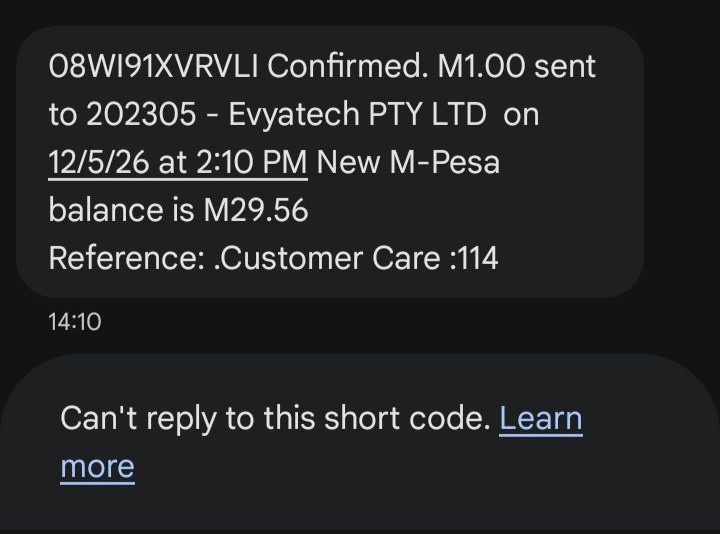
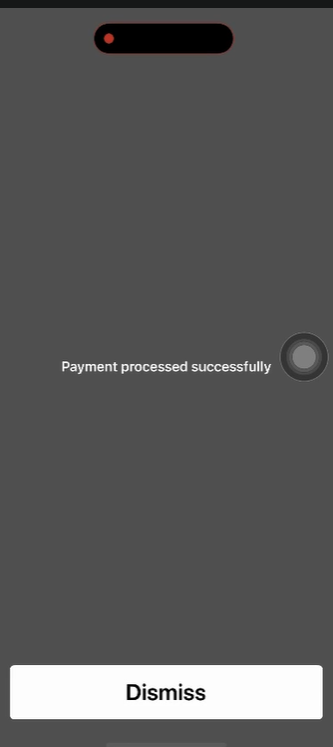
Payment Successful

Step 5

Successful payment pop-up

✓ Done! Your account is credited and you can start playing.

EcoCash Deposit Steps

👈 Swipe to navigate 👉
Step 1 of 8
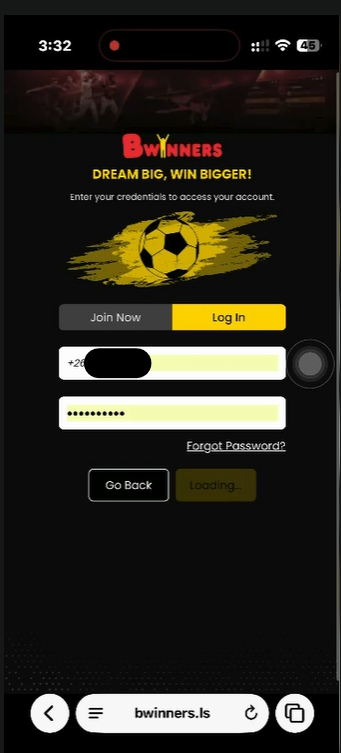
1

Login

Step 1

User logs into their account.

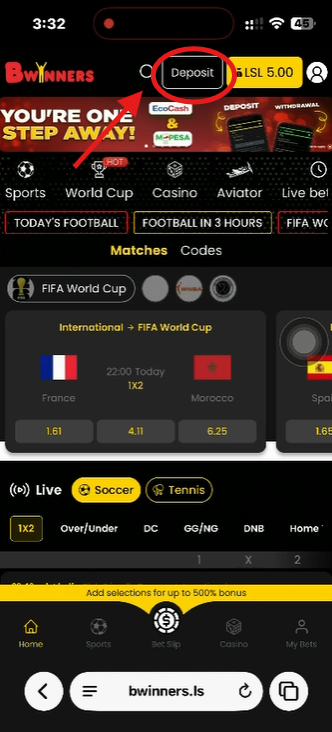
2

Deposit

Step 2

Click on the "Deposit" button.

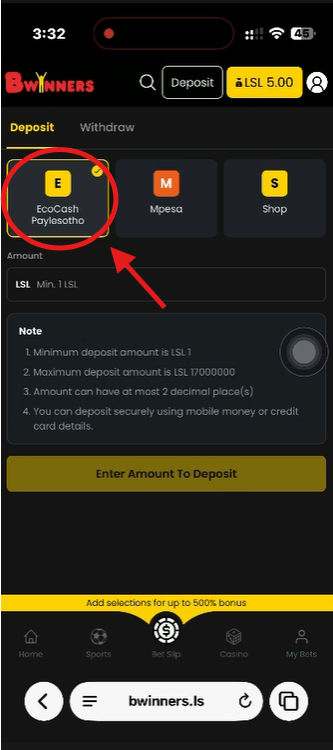
3

Choose EcoCash

Step 3

Click on the "EcoCash Paylesotho" option.

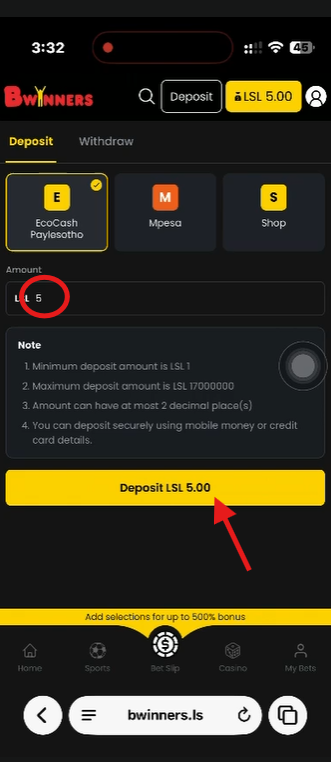
4

Enter Amount

Step 4

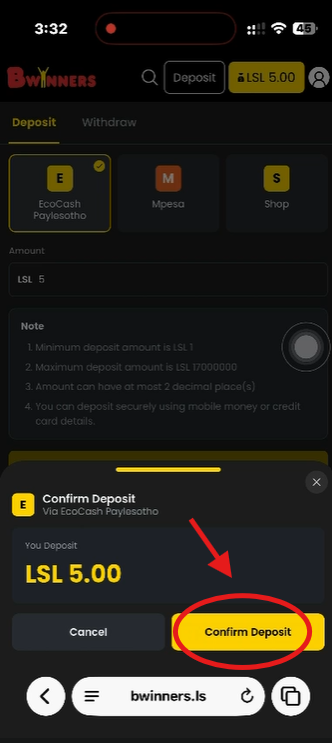
Add an amount, for example "5", then click on "Deposit LSL 5.00".

5

Confirm Deposit

Step 5

Click on "Confirm Deposit".

6

Enter PIN

Step 6

Enter your PIN to process the payment.

7

Payment Successful

Step 7

Payment successful message.

8

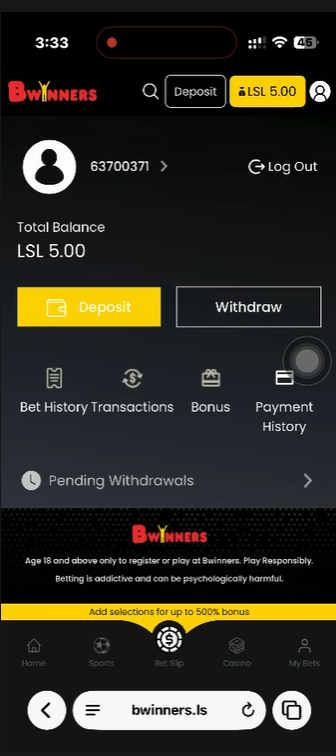
Balance Updated

Step 8

Your balance is now LSL 5.00.

✓ Done! Your account is credited and you can start playing.